

VedronERP · Analysis & Reports
此页面尚无中文版本,显示英文原文。
Manufacturers
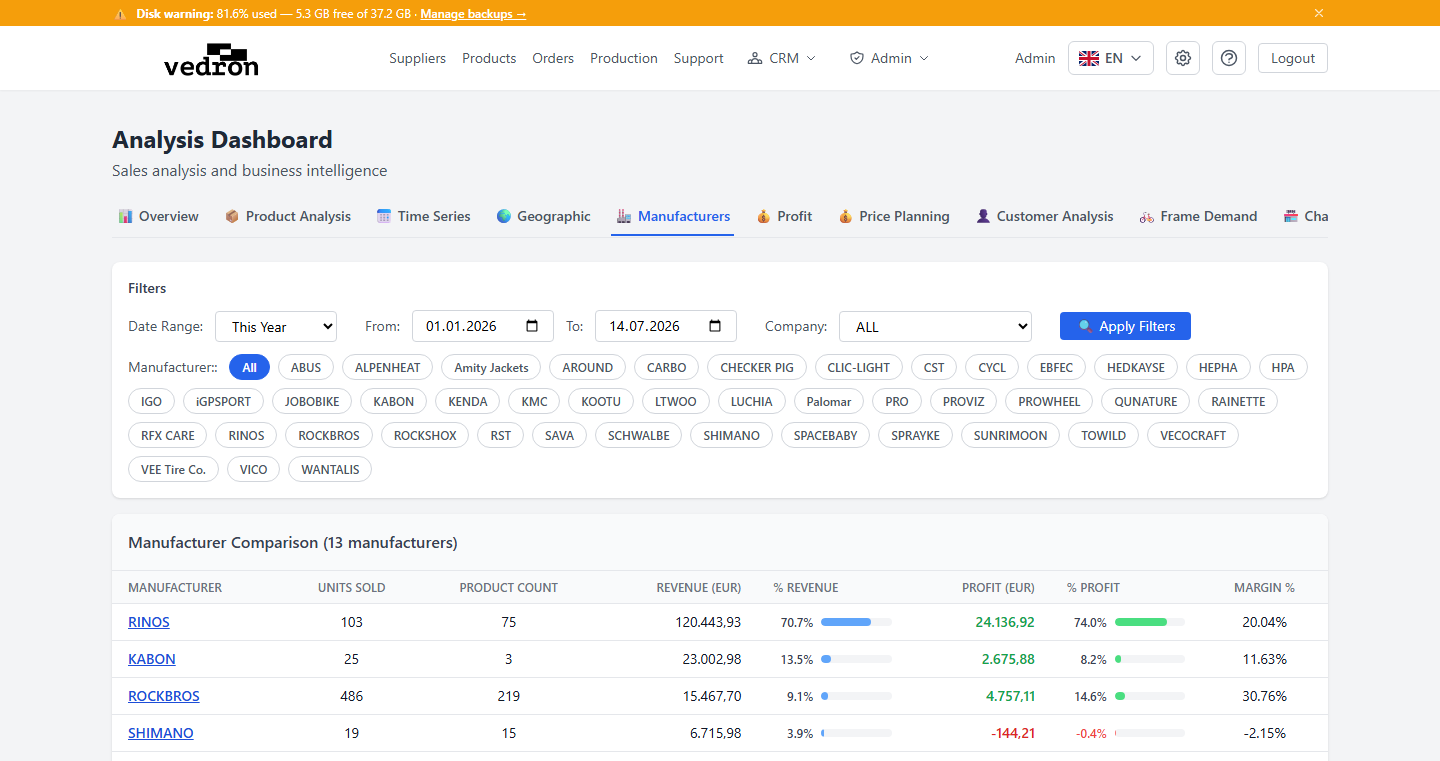
The Manufacturers tab compares sales performance across the different manufacturers in your catalog, side by side.
Accessing Manufacturers
- Go to the Analysis page and click the "Manufacturers" tab.
- Select the manufacturers you want to compare using the chips at the top — you can select more than one.
What You See
For each selected manufacturer, the table shows units sold, product count, revenue, share of total revenue, profit, share of total profit, and profit margin — all in one view.
Tip: Sort by margin % to quickly see which manufacturer's products are the most profitable for you, not just the highest-selling.