

VedronERP · Analysis & Reports
Ta strona nie jest jeszcze dostępna po polsku. Wyświetlamy oryginał w języku angielskim.
Profit Analysis
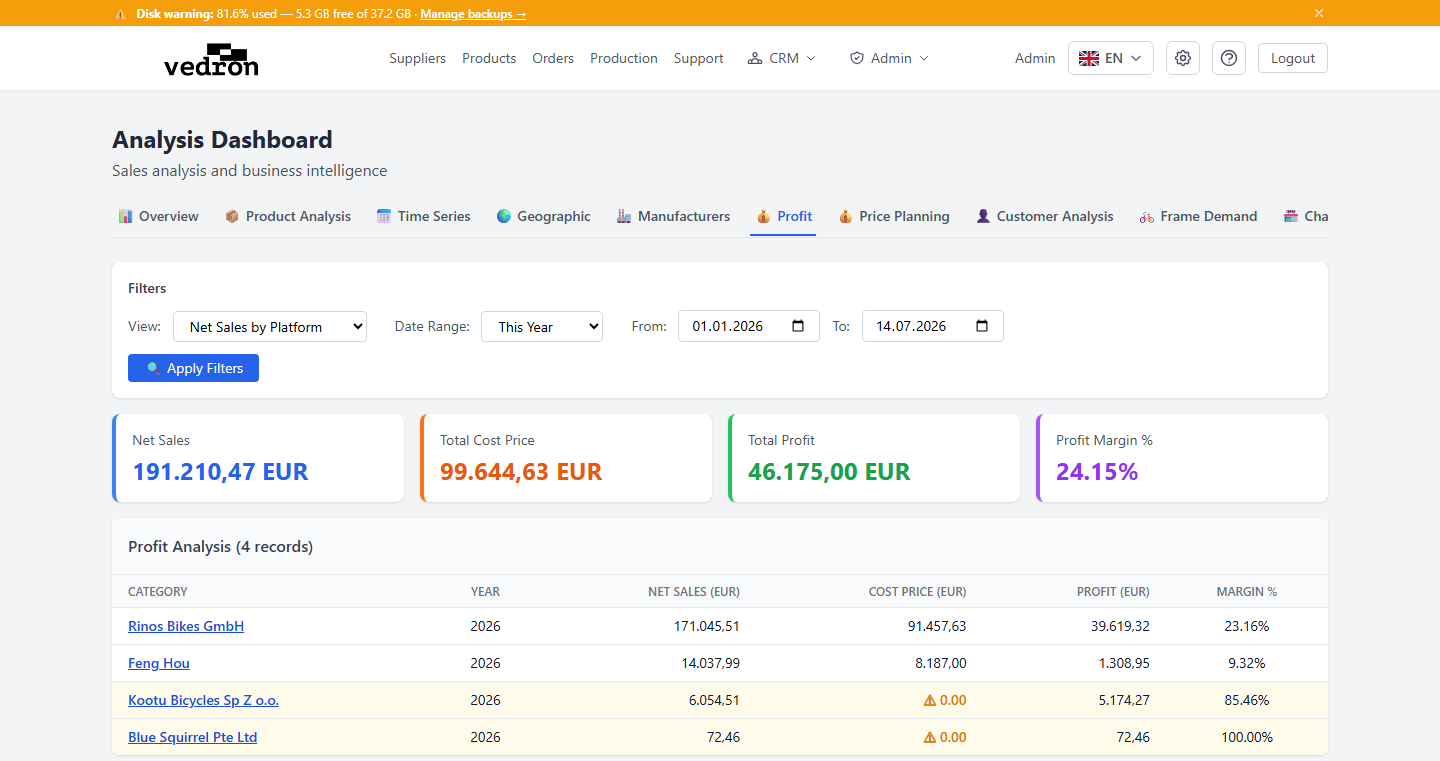
The Profit tab shows your net sales, cost, and profit margin, broken down however you'd like to view your business.
Accessing Profit Analysis
- Go to the Analysis page and click the "Profit" tab.
- Choose a view type: by Platform, Country, Source, or Product Group.
What You See
- Summary cards at the top show Net Sales, Cost Price, Profit, and Margin for the selected view.
- The table below breaks the same figures down by your chosen view type.
- Rows with a missing cost price are highlighted in amber with a "⚠ 0.00" warning — a sign that the underlying product needs a cost price added for the numbers to be accurate.
Tip: If you see a lot of amber-highlighted rows, check the Products page and fill in missing cost prices — your profit figures will only be as accurate as the cost data behind them.