

VedronERP · Analysis & Reports
Ta strona nie jest jeszcze dostępna po polsku. Wyświetlamy oryginał w języku angielskim.
Time Series
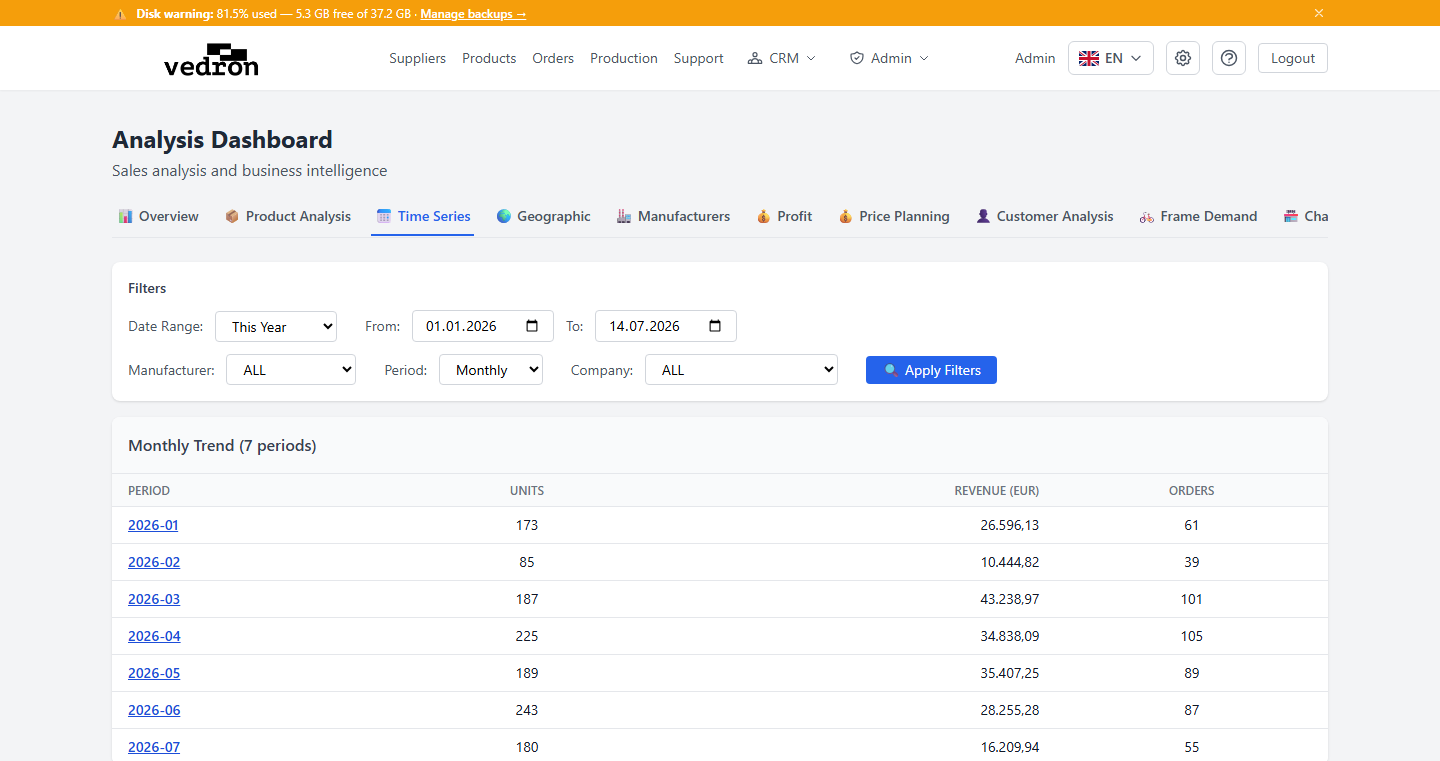
The Time Series tab shows how your sales have moved over time, so you can spot trends and seasonal patterns at a glance.
Accessing Time Series
- Go to the Analysis page and click the "Time Series" tab.
- Set a date range, and optionally filter by manufacturer or company.
- Choose how to group the results: Monthly, Quarterly, or Yearly.
What You See
The table lists each period alongside units sold, revenue, and number of orders — letting you compare performance period over period.
Tip: Switch between Monthly and Quarterly views to tell the difference between a short dip and a genuine seasonal slowdown.