

VedronERP · Analysis & Reports
Diese Seite ist noch nicht auf Deutsch verfügbar. Sie sehen das englische Original.
Time Series
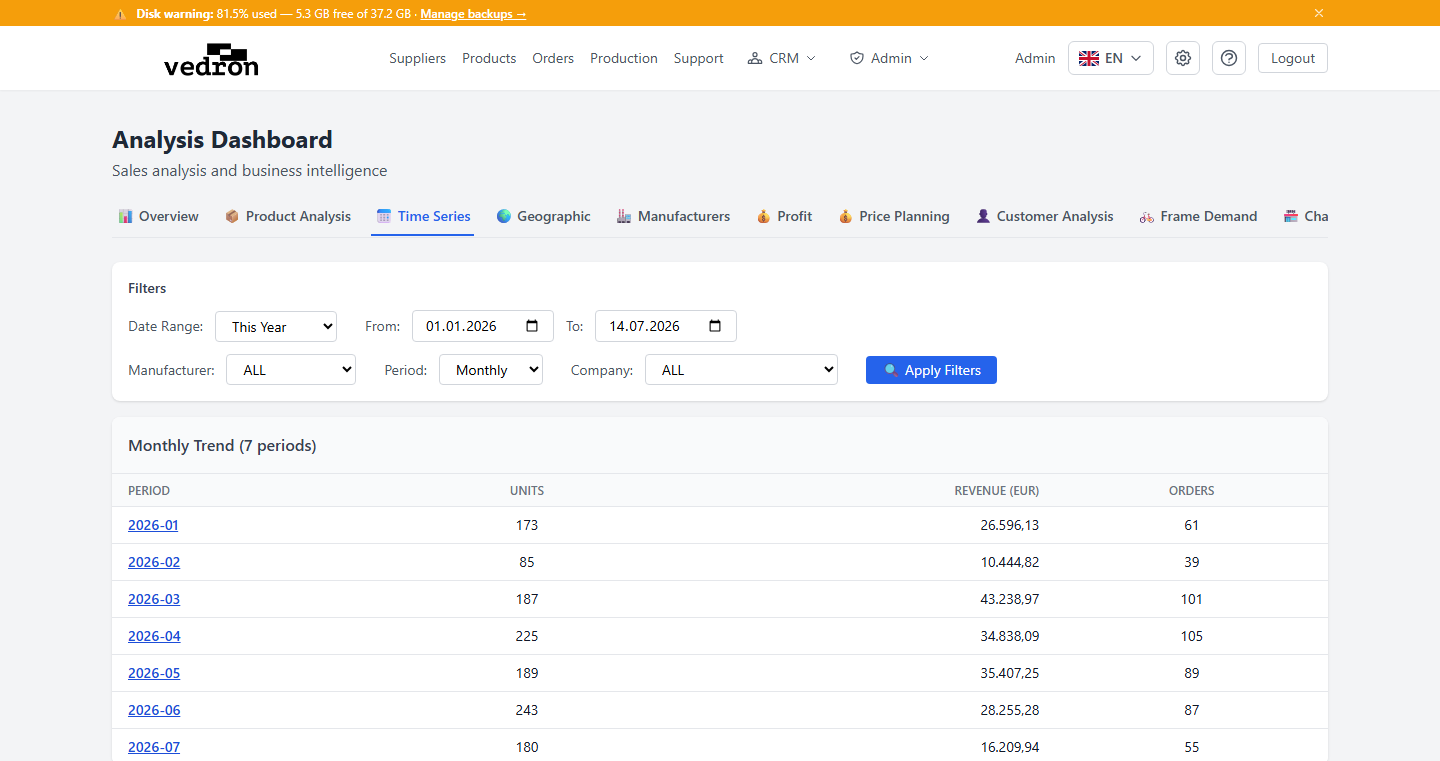
The Time Series tab shows how your sales have moved over time, so you can spot trends and seasonal patterns at a glance.
Accessing Time Series
- Go to the Analysis page and click the "Time Series" tab.
- Set a date range, and optionally filter by manufacturer or company.
- Choose how to group the results: Monthly, Quarterly, or Yearly.
What You See
The table lists each period alongside units sold, revenue, and number of orders — letting you compare performance period over period.
Tip: Switch between Monthly and Quarterly views to tell the difference between a short dip and a genuine seasonal slowdown.