

VedronERP · Analysis & Reports
Diese Seite ist noch nicht auf Deutsch verfügbar. Sie sehen das englische Original.
Profit Analysis
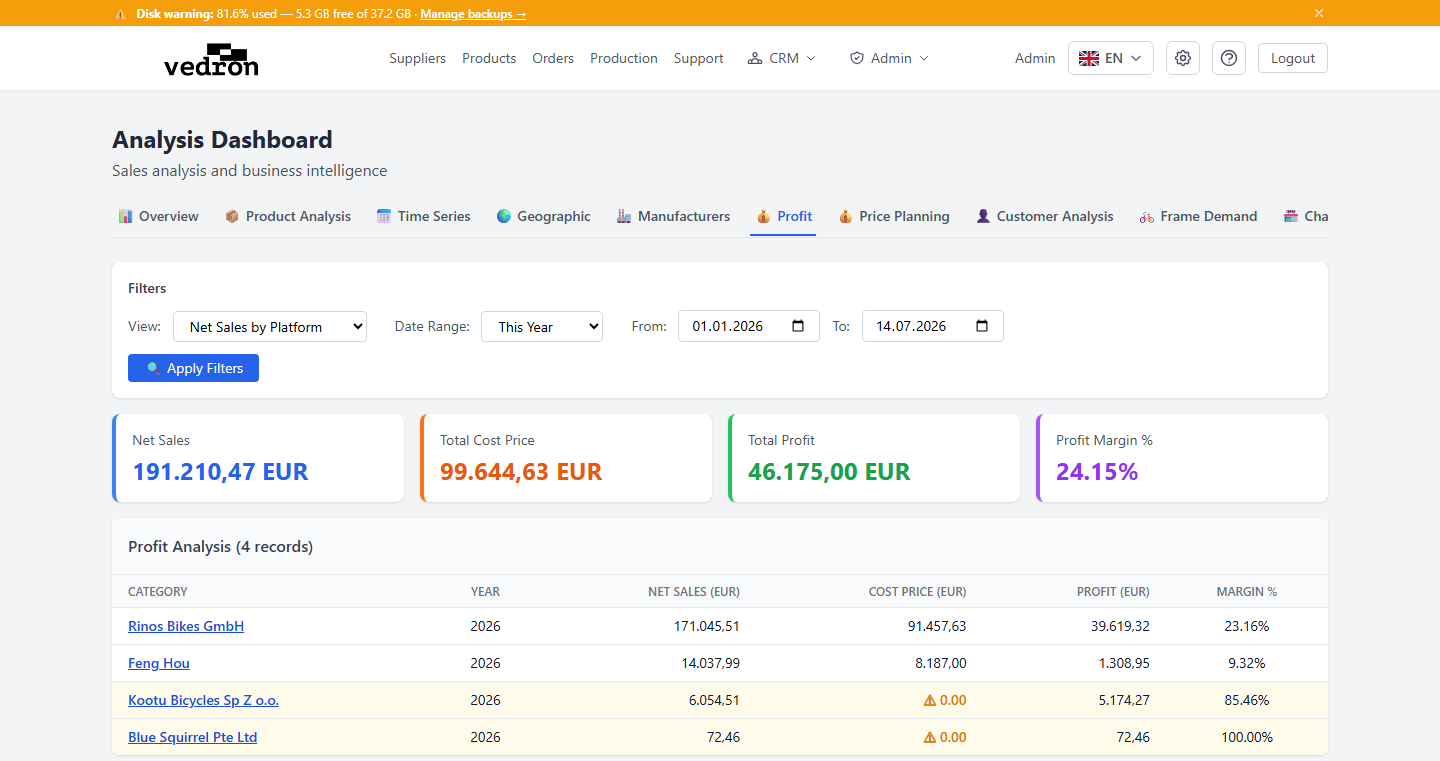
The Profit tab shows your net sales, cost, and profit margin, broken down however you'd like to view your business.
Accessing Profit Analysis
- Go to the Analysis page and click the "Profit" tab.
- Choose a view type: by Platform, Country, Source, or Product Group.
What You See
- Summary cards at the top show Net Sales, Cost Price, Profit, and Margin for the selected view.
- The table below breaks the same figures down by your chosen view type.
- Rows with a missing cost price are highlighted in amber with a "⚠ 0.00" warning — a sign that the underlying product needs a cost price added for the numbers to be accurate.
Tip: If you see a lot of amber-highlighted rows, check the Products page and fill in missing cost prices — your profit figures will only be as accurate as the cost data behind them.