
Menu

Shop

Region & Language

BlogVedron

Sell on Allegro and your orders are in PLN. Sell on a UK storefront and they're in GBP. Sell in the US and they're in USD. If your accounting treats all of it as if it were already EUR -- or converts it later using a single "current" exchange rate instead of the rate on the actual transaction date -- your revenue numbers are approximately right, which for accounting purposes means they're wrong.

Why "approximately right" isn't good enough here

Exchange rates move daily. An order placed and paid in PLN on one date needs to be converted to your reporting currency using the rate that applied on that date -- not this week's rate, not an average, not whatever rate happened to be convenient when someone got around to entering it. Get this wrong consistently and your revenue and VAT figures drift from reality in a way that's hard to spot until a reconciliation or an audit surfaces it, because each individual error looks small.

What correct multi-currency accounting actually requires

Three things: the order needs to record its original local-currency amount (not just a converted figure, so you can always trace back to what the customer actually paid), the conversion needs to use the correct historical exchange rate for that specific date, and the conversion needs to happen consistently across every report that touches revenue -- not converted one way for the sales dashboard and a slightly different way for the VAT return.

How Vedron handles this

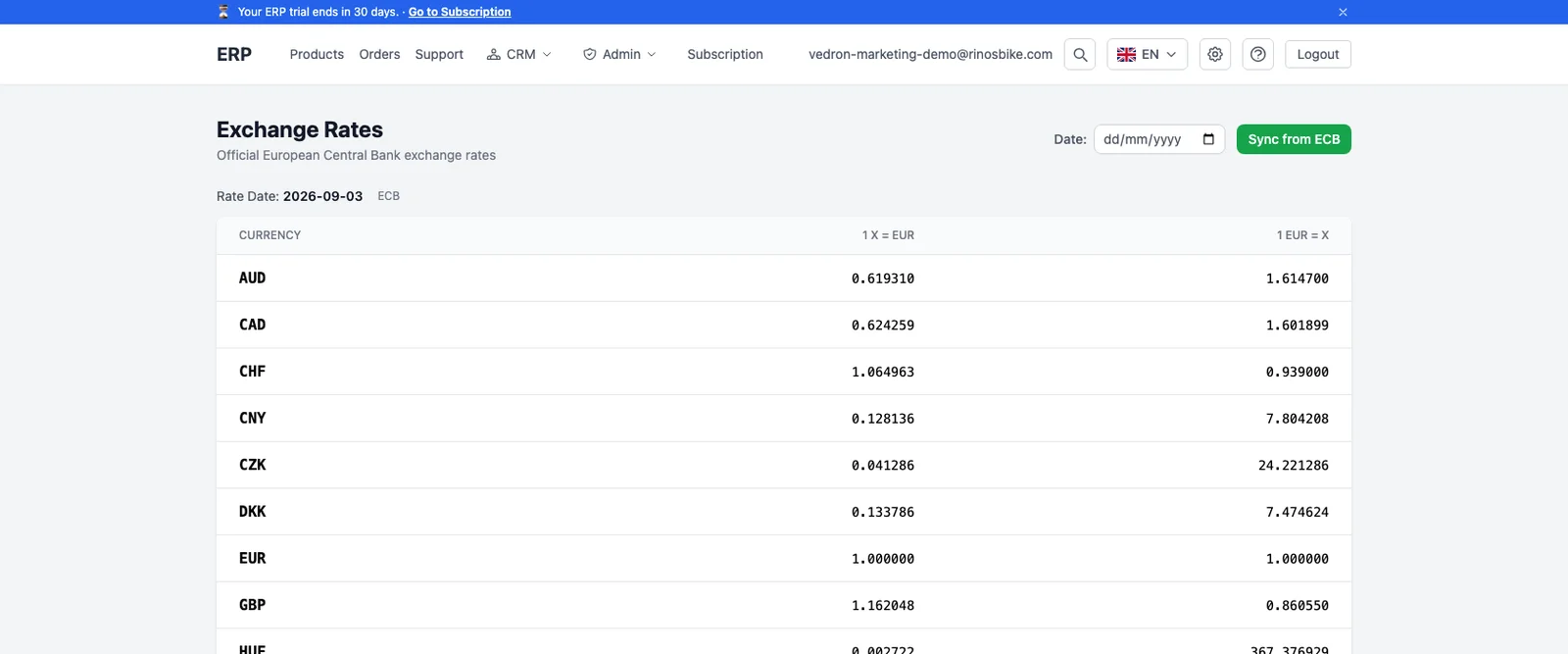
Every order retains its original local-currency amount as recorded data, not just a converted number. Conversion to your reporting currency uses ECB daily reference exchange rates matched to the actual transaction date, applied consistently across revenue reporting, VAT calculation, and reconciliation -- so a PLN order from three months ago is still converted using the rate that actually applied then, not today's rate. This matters as much for accuracy as for compliance: several countries' VAT rules specifically require using the rate on the transaction date, not a rate of convenience.

Frequently asked questions

What happens if a customer pays in a currency their bank later converts before it reaches me?

The original transaction currency and amount recorded at the point of sale is what's used for accounting -- what your bank or payment processor does with it afterward (their own conversion, their own fees) is tracked separately as a banking event, not conflated with the sale itself.

Does this handle currencies beyond EUR/PLN/GBP/USD?

Any currency with an ECB daily reference rate is supported the same way -- the mechanism isn't hardcoded to a fixed currency list.

Do I need to manually update exchange rates myself?

No -- rates are pulled automatically, so there's no daily manual step and no risk of someone forgetting to update a rate table.

Have a question specific to your setup?

Every seller's marketplace mix and stock setup is a little different -- if you're weighing this against your own, book a short call and we'll walk through it with you directly rather than leaving you to figure it out from a blog post alone.

Beta offer: if you join as a beta client, custom integration setup -- configured for your actual marketplace and inventory mix -- is free for your first 2 months.

Still evaluating and need more time than the standard trial window? Just ask us for an extension -- we're happy to give you the room to actually test it properly before deciding.

Book a call or see plans and get started.

All posts

Selling in Multiple Currencies Without Losing Track of Real Revenue

17. März 20263 min read

Sell on Allegro and your orders are in PLN. Sell on a UK storefront and they're in GBP. Sell in the US and they're in USD. If your accounting treats all of it as if it were already EUR -- or converts it later using a single "current" exchange rate instead of the rate on the actual transaction date -- your revenue numbers are approximately right, which for accounting purposes means they're wrong.

Why "approximately right" isn't good enough here

Exchange rates move daily. An order placed and paid in PLN on one date needs to be converted to your reporting currency using the rate that applied on that date -- not this week's rate, not an average, not whatever rate happened to be convenient when someone got around to entering it. Get this wrong consistently and your revenue and VAT figures drift from reality in a way that's hard to spot until a reconciliation or an audit surfaces it, because each individual error looks small.

What correct multi-currency accounting actually requires

Three things: the order needs to record its original local-currency amount (not just a converted figure, so you can always trace back to what the customer actually paid), the conversion needs to use the correct historical exchange rate for that specific date, and the conversion needs to happen consistently across every report that touches revenue -- not converted one way for the sales dashboard and a slightly different way for the VAT return.

How Vedron handles this

Every order retains its original local-currency amount as recorded data, not just a converted number. Conversion to your reporting currency uses ECB daily reference exchange rates matched to the actual transaction date, applied consistently across revenue reporting, VAT calculation, and reconciliation -- so a PLN order from three months ago is still converted using the rate that actually applied then, not today's rate. This matters as much for accuracy as for compliance: several countries' VAT rules specifically require using the rate on the transaction date, not a rate of convenience.

Frequently asked questions

What happens if a customer pays in a currency their bank later converts before it reaches me?

The original transaction currency and amount recorded at the point of sale is what's used for accounting -- what your bank or payment processor does with it afterward (their own conversion, their own fees) is tracked separately as a banking event, not conflated with the sale itself.

Does this handle currencies beyond EUR/PLN/GBP/USD?

Any currency with an ECB daily reference rate is supported the same way -- the mechanism isn't hardcoded to a fixed currency list.

Do I need to manually update exchange rates myself?

No -- rates are pulled automatically, so there's no daily manual step and no risk of someone forgetting to update a rate table.

Have a question specific to your setup?

Every seller's marketplace mix and stock setup is a little different -- if you're weighing this against your own, book a short call and we'll walk through it with you directly rather than leaving you to figure it out from a blog post alone.

Beta offer: if you join as a beta client, custom integration setup -- configured for your actual marketplace and inventory mix -- is free for your first 2 months.

Still evaluating and need more time than the standard trial window? Just ask us for an extension -- we're happy to give you the room to actually test it properly before deciding.

Book a call or see plans and get started.

Did you enjoy this article?