VedronERP · Content
Content Module Overview
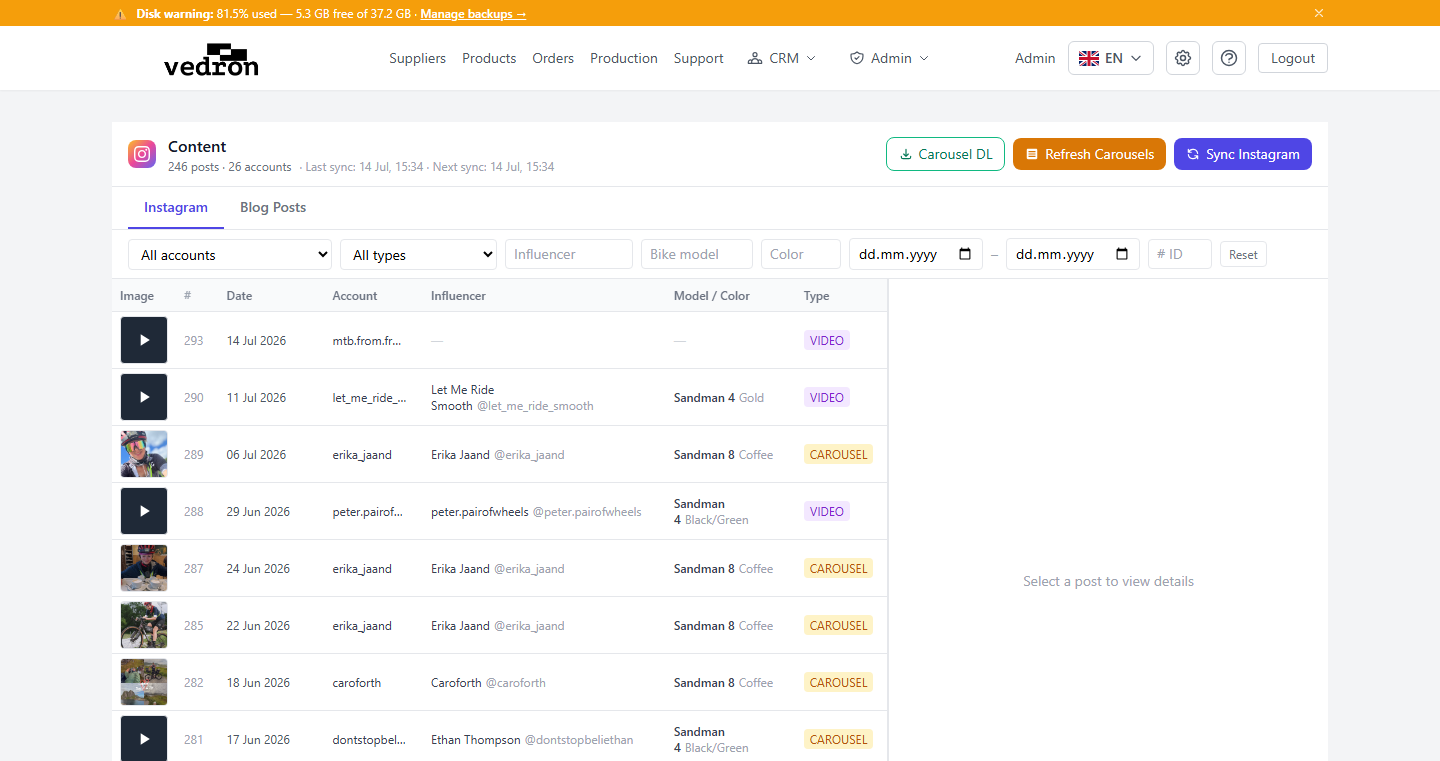
The Content module is your central library for Instagram posts and social media assets. It connects to your Instagram Business accounts via the Facebook Graph API, downloads posts and carousel images, and stores them alongside product and influencer metadata.
What You Can Do
- Browse all Instagram posts across multiple accounts in one place.
- Filter posts by product, influencer, account, or date range.
- View full-resolution carousel images stored on Cloudflare R2.
- Tag posts with ERP product references for marketing attribution.
- Trigger manual syncs to pull the latest posts from Instagram.
- Manage Facebook OAuth tokens for each connected account.
Navigating to Content
- Click "Content" in the sidebar (or navigate via the Dashboard card).
- The post library loads with the most recent posts at the top.
- Use the filter bar to narrow by account, product, or influencer.
- Click any post card to open the detail view with full-size media.