

VedronERP · Financial Statements
Financial Statements Overview
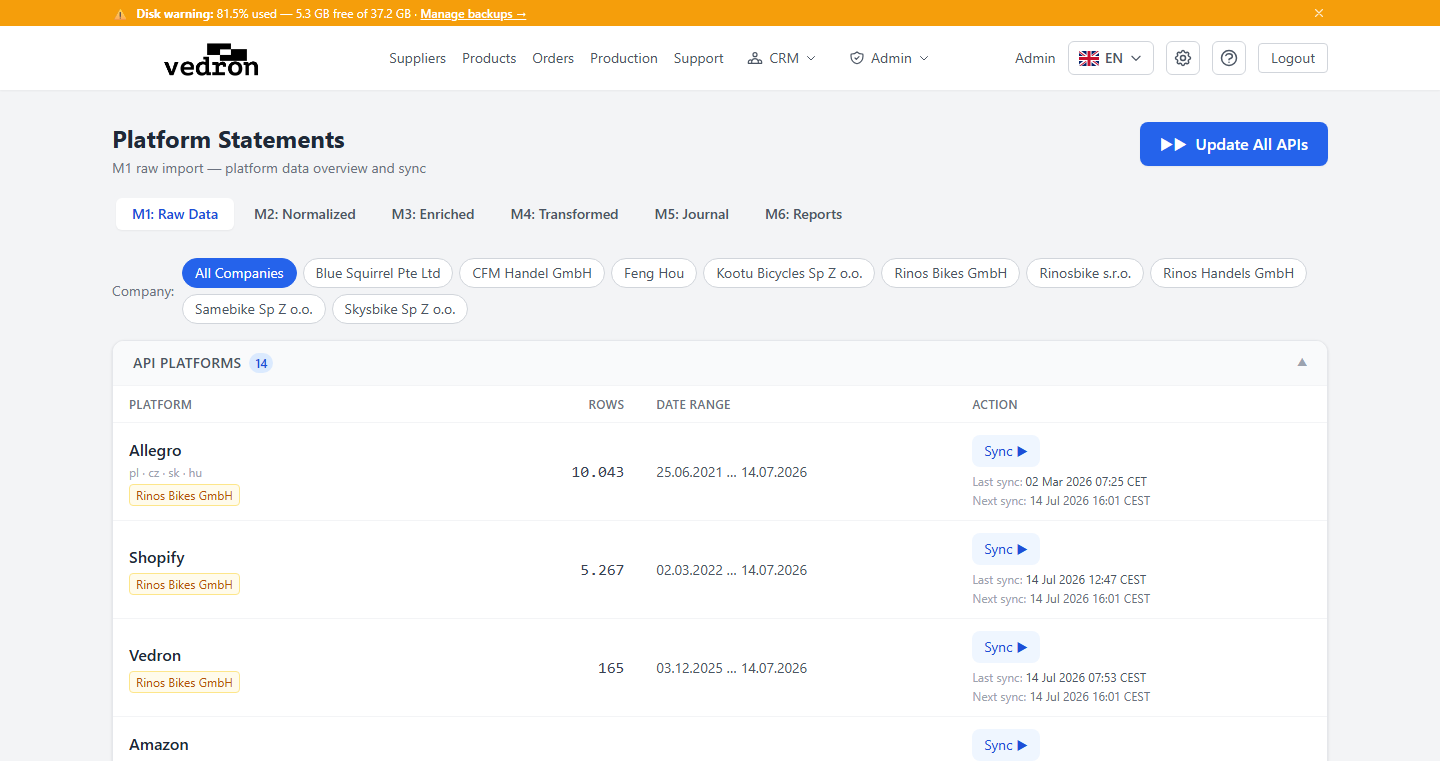
The Financial Statements module processes all your sales and bank transaction data through a six-stage pipeline — from raw import (M1) to journal entries (M5) and finally summary reports (M6). It covers all marketplaces and any bank accounts you have configured.
The M1–M6 Pipeline
- M1 — Raw Import: Original transaction data from the platform API or uploaded CSV.
- M2 — Normalize: Standardized rows with order/invoice matching (enrichment_status: matched / unmatched).
- M3 — Enrich: ECB foreign exchange rates applied; bank transactions classified by type (Customer Payment, Bank Expense, Platform Payout, Sales EU B2B, etc.).
- M4 — Transform: Each row mapped to a debit/credit pair with account codes, booking text, and tax key.
- M5 — Journal Entries: Final double-entry journal stored in platform_journal.journal_entries, ready for export to your accounting software.
- M6 — Reports: Balance Sheet, P&L, and other summary reports generated from the M5 journal.
Navigating the Module
- Go to Financial Statements from the Dashboard or via the sidebar.
- Select a platform tab (e.g., your bank, Allegro, Amazon).
- Use the stage tabs M1 → M2 → M3 → M4 → M5 → M6 to inspect each pipeline stage.
- Use the Journal tab to view the final double-entry ledger across all platforms.
Tip: After an import the system runs the next stages for you in the background (M2 normalize, M3 enrich and, for bank accounts, M4 transform) — there is nothing to start. Bank accounts are also posted to the journal (M5) automatically every hour; use "Post to ledger (M5)" on a platform's Journal tab to post right away.