

VedronERP · Marketplace Integrations
eBay Offers & Listings
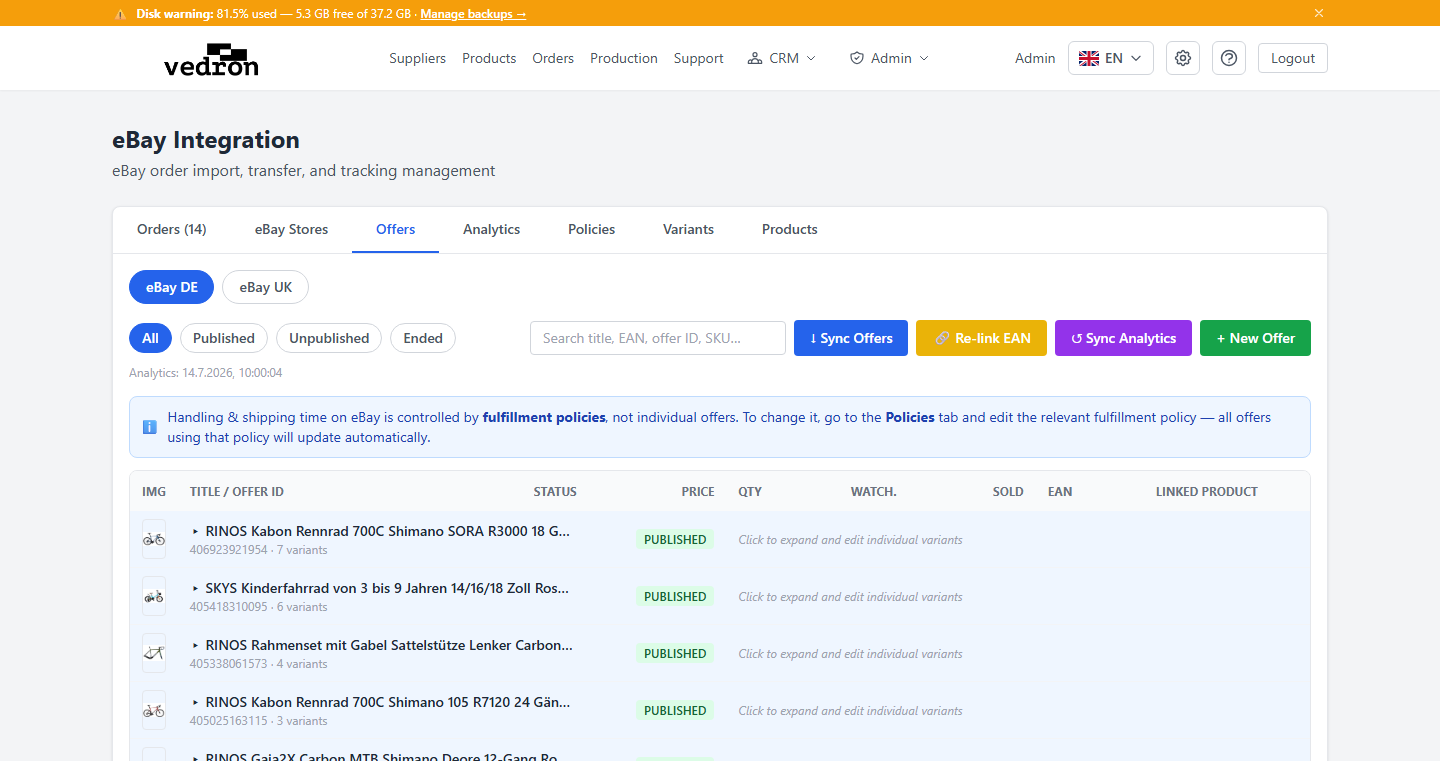
The eBay Offers module lets you view, sync, and manage your eBay listings directly from the ERP. You can see which products are listed on eBay, create new offers, and keep EANs in sync with your product catalog.
Accessing eBay Offers
- Go to Marketplace → eBay.
- Click the "Offers" tab at the top of the eBay integration page.
- The table shows all offers fetched from eBay: SKU, title, price, quantity, status.
Syncing Offers from eBay
Click "Sync Offers" to pull the latest listing data from eBay. Sync fetches inventory item records and links them to ERP products by EAN where possible.
Relinking EANs
If an offer's EAN does not match any ERP product, use "Re-link EAN" to re-run the automatic matching. This is useful after importing new products or correcting EAN data.
Creating a New Offer
- Click "New Offer" in the Offers tab.
- Search for the ERP product you want to list.
- Set the price, quantity, and eBay category.
- Submit — the offer is created directly via the eBay Inventory API.
Tip: Ensure your eBay credentials (OAuth token) are active before syncing. Expired tokens cause sync failures — go to Configuration → Credentials to refresh.
Analytics Tab — Watchers & Sales
The Analytics tab inside eBay Offers shows watcher counts and units sold per listing, with daily sparkline charts so you can spot trends at a glance.
- Go to Marketplace → eBay → Analytics tab.
- Click "Sync Analytics" to pull the latest watcher and sold data from eBay.
- Each row shows the listing title, current watchers, units sold, and a sparkline of the last 30 days.
- Click any sparkline to open a full chart modal with daily history.
- Sort by Watchers or Sold to prioritise your top-performing listings.
Tip: High watcher counts with low sales often indicate a price or shipping issue. Use the analytics to identify listings worth a price test.