

VedronERP · Shipping & Carriers
Sending to a Different Address
Use this when the customer is temporarily somewhere else, or a marketplace requires you to ship to a specific address. The customer's address on the order is not changed.
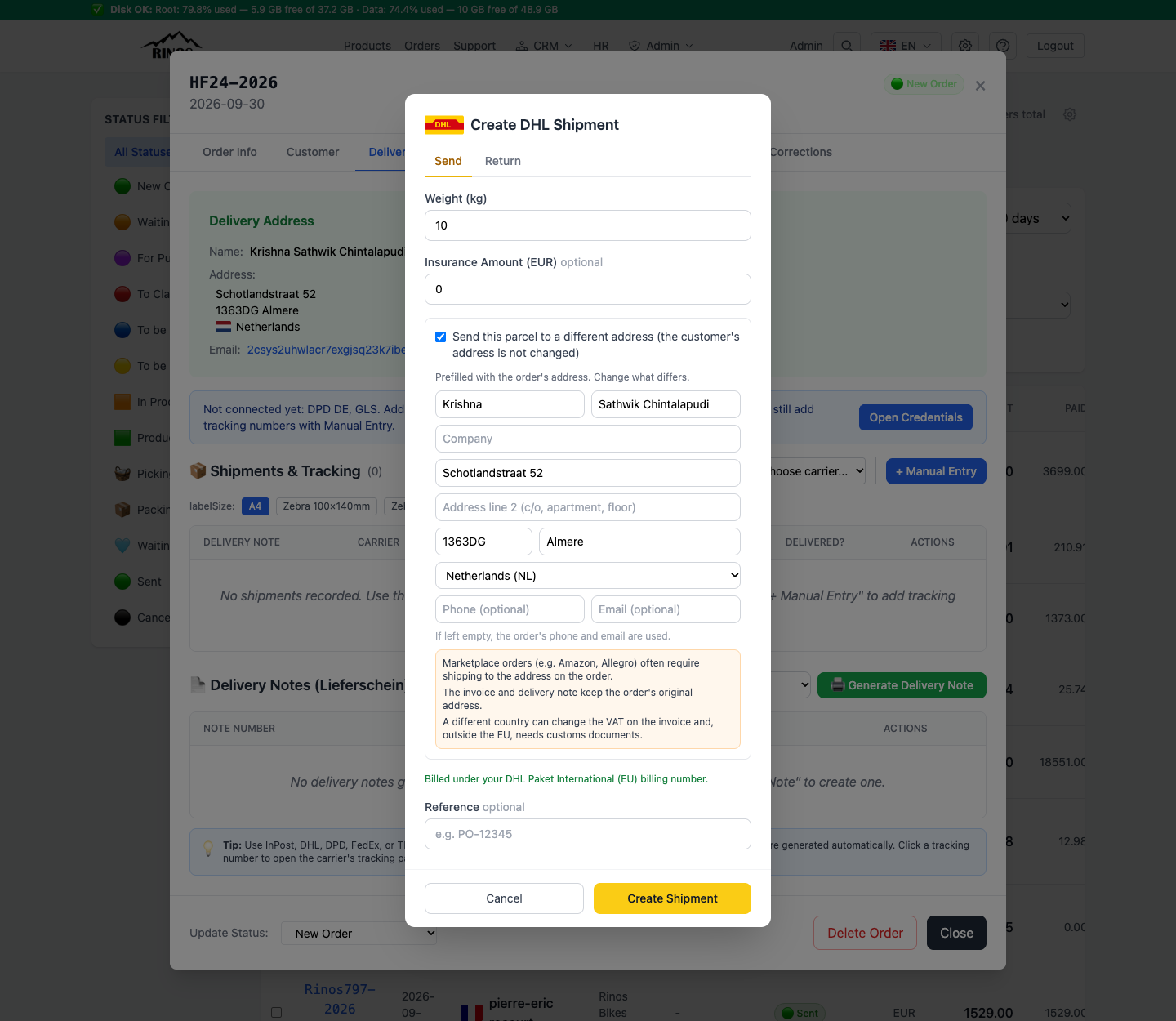
Steps
- Open the order → Delivery tab → choose your carrier under "Create via API".
- Tick "Send this parcel to a different address".
- The fields are prefilled with the order's address. Change only what differs.
- Phone and email are optional. If you leave them empty, the order's phone and email are used.
- Click Create Shipment. The shipment row shows an "Alt. address" badge and "Sent to" with the address used.
What does not change
- The invoice and the delivery note keep the order's original address.
- The marketplace still sees the order as before.
Warning: A different country can change the VAT on the invoice. Outside the EU you also need customs documents. Check this before you ship.
Available for DHL, DPD (PL and DE), GLS, FedEx, TNT and J&T Express.